Languages
Multi-language support with translation keys, browser language detection, and automatic URL-based language routing (/en/..., /fr/...). Reference translations in pages using the $t: prefix.
Defining Languages
Set a default language and list supported languages with code, locale, label, and text direction.
| Property | Description |
|---|---|
default |
ISO 639-1 code for the default language (e.g., "en"). Used when no language is detected. |
supported |
Array of language entry objects. Each defines a supported language. |
fallback |
Fallback language code (2 letters). Used when a translation key is missing in the active language. |
detectBrowser |
Boolean. When true, auto-detects the user's browser language on first visit. |
persistSelection |
Boolean. When true, remembers the user's language choice across sessions. |
languages:
  default: en
  supported:
    - code: en
      locale: en-US
      label: English
      direction: ltr
    - code: fr
      locale: fr-FR
      label: 'Français'
      direction: ltr
    - code: ar
      locale: ar-SA
      label: 'العربية'
      direction: rtl
Unprefixed URLs
Some pages must be authored per locale — a docs zone binding content/docs/en and content/docs/fr cannot be one page — so their path carries an explicit segment: /en/docs, /fr/docs. Nothing then answers the bare /docs, and a link, bookmark or share of that URL used to hit a 404.
It no longer does. An unprefixed path that resolves under no page, but would resolve once prefixed, is answered with a 302 to /{lang}{path}:
| Request | Answer |
|---|---|
/docs |
302 → /en/docs (or /fr/docs — see below) |
/docs/ |
301 → /docs, then 302 → /en/docs |
/manifesto |
200 — a locale-agnostic page resolves in place, no redirect |
/en/docs |
200 — an explicit prefix is never prefixed a second time |
/nope |
404 — nothing to redirect to |
This is always on. There is no schema option: the fallback fires only where a 404 would otherwise occur and the prefixed page exists, a combination that is never intentional.
The language is negotiated, not fixed. It is the browser-detected language when detectBrowser is true and the Accept-Language header matches a configured code, and languages.default otherwise — the same rule the root / redirect already uses.
302, not 301 — and this matters. The target depends on a request header, so the mapping is not permanent. A 301 is cached by browsers and intermediaries, which would pin the first-seen locale for that visitor forever. Sovrium already draws exactly this line: /en → /en/ is a 301 (deterministic, header-independent) while / → /fr/ is a 302 (negotiated).
For the same reason every negotiated response declares Vary: Accept-Language — this 302, and both branches of the root: its 302 to /{lang}/ and the 200 it serves in the default language. Without it a shared cache stores one visitor's answer under the bare URL and hands it to the next visitor, whose own negotiation never runs.
The target must resolve. /nope stays a clean 404 and is never sent to /en/nope. A redirect into a 404 burns the hop, still fails, and walks a crawler into a dead end.
The target must also be readable. The redirect fires only toward a page an anonymous visitor may open. If /en/private is role-gated, /private answers 404 — indistinguishable from a path that was never declared, because redirecting would disclose that the page exists while /en/private itself is busy hiding that. See Routing & Paths.
The incoming query string is preserved, and /api/, /assets/, /_admin/ and /.well-known/ are never touched.
Server mode only. sovrium start performs this redirect; sovrium build emits no redirects at all. A statically hosted build answers /docs with whatever its host does, so declare the rule there — a _redirects file on Netlify or Cloudflare Pages, netlify.toml, or an nginx location block. A <meta http-equiv="refresh"> stub is the wrong fix: it returns 200, turning the unprefixed URL into an indexable near-empty duplicate of the page it points at.
Language Entry Properties
Each entry in the supported array describes a language with these properties.
| Property | Description |
|---|---|
code |
ISO 639-1 language code (e.g., "en", "fr", "ar"). Used in URL routing (/en/, /fr/). |
locale |
Full locale identifier (e.g., "en-US", "fr-FR", "ar-SA"). Used for number/date formatting. |
label |
Human-readable language name shown in language switchers (e.g., "English", "Français"). |
direction |
Text direction: "ltr" (left-to-right) for most languages, "rtl" (right-to-left) for Arabic, Hebrew, etc. |
flag |
Flag emoji or icon path displayed in language switchers. |
RTL Support. Set direction: rtl for right-to-left languages like Arabic or Hebrew. Sovrium automatically mirrors the page layout, aligns text to the right, and applies the dir="rtl" attribute to the HTML root.
Translation Keys
Define key-value pairs for each language. Keys use dot notation for organization.
languages:
  translations:
    en:
      hero.title: 'Welcome to My App'
      hero.description: 'Build faster with Sovrium'
      nav.home: 'Home'
      nav.about: 'About'
    fr:
      hero.title: 'Bienvenue sur Mon App'
      hero.description: 'Construisez plus vite avec Sovrium'
      nav.home: 'Accueil'
      nav.about: 'À propos'
Using Translations
Reference translations in any content or prop value with the $t: prefix.
# Reference translations with $t: prefix
pages:
  - name: home
    path: /
    components:
      - type: container
        children:
          - type: text
            element: h1
            content: 'hero.title'
          - type: text
            content: 'hero.description'
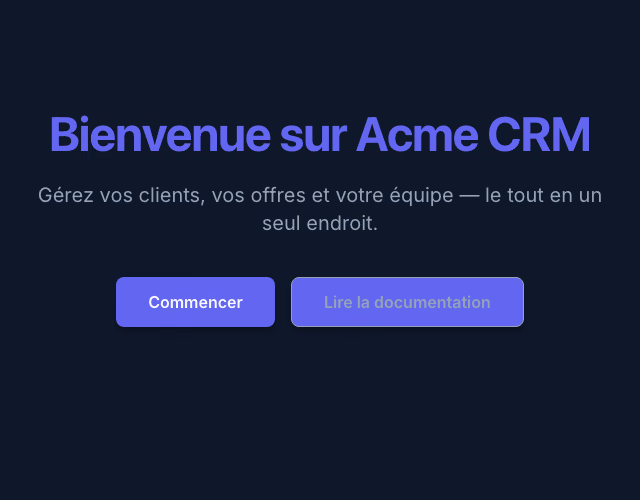
$t: Translation Syntax. Use key.path in any page content or prop value to reference a translation. Example: hero.title resolves to "Welcome" in English and "Bienvenue" in French.

Adding a New Language
Follow these steps to add a new language to your application.
- Add language entry — Add a new item to the
supportedarray withcode,locale,label, anddirection. - Add translations — Create a new
translationssection for the language code with all required keys. - Test the language — Visit
/[lang-code]/in your browser to verify the new language renders correctly.
Last updated August 28, 2026
This documentation was written with AI, so errors or outdated content are possible. Sovrium is in beta. Contributions and corrections are welcome.