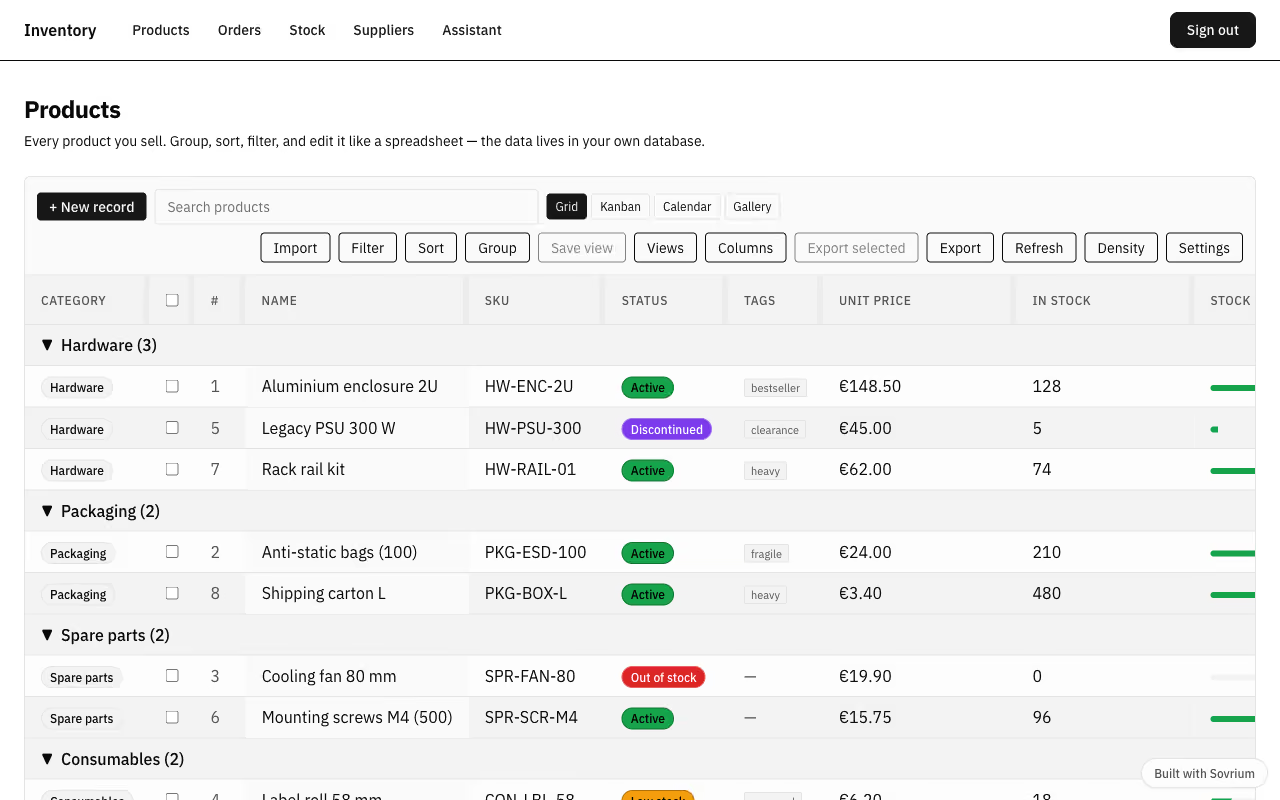
Business app
Inventory
Six linked tables — suppliers, warehouses, products, stock movements, orders, and order lines — behind spreadsheet-style grids with grouping, saved views, filters, footer summaries, and an expand-record panel. Stock movements drive the counts and rollups on every product, and line totals are computed in the database.
The configuration
This is the whole app. Copy it, change it, make it yours.
name: inventory-workspace
version: 1.0.0
description: >-
  A self-hosted database workspace for products, stock, and orders — an Airtable
  alternative you own. Six linked tables behind spreadsheet-style grids with
  grouping, saved views, filters, footer summaries, and inline editing.

auth:
  $ref: ./config/auth.yaml

design:
  $ref: ./config/design.yaml

tables:
  - $ref: ./config/tables/suppliers.yaml
  - $ref: ./config/tables/warehouses.yaml
  - $ref: ./config/tables/products.yaml
  - $ref: ./config/tables/stock_movements.yaml
  - $ref: ./config/tables/orders.yaml
  - $ref: ./config/tables/order_lines.yaml

# AI agent that can query and edit the catalog (surfaced on /assistant).
# Requires an AI provider at runtime (AI_PROVIDER, e.g. ollama for a local
# setup); config validation does not need one.
agents:
  - $ref: ./config/agents/catalog-assistant.yaml

# Automations run server-side with full history in your own database.
automations:
  - $ref: ./config/automations/flag-low-stock.yaml

pages:
  - $ref: ./config/pages/sign-in.yaml
  - $ref: ./config/pages/products.yaml
  - $ref: ./config/pages/orders.yaml
  - $ref: ./config/pages/stock.yaml
  - $ref: ./config/pages/suppliers.yaml
  - $ref: ./config/pages/assistant.yaml
Run it
Install Sovrium, then start the app from its config.
curl -fsSL https://sovrium.com/install | sh
sovrium init my-inventory --template inventory
Build your own
Start from a template or an empty file. One config, and Sovrium runs the whole app.